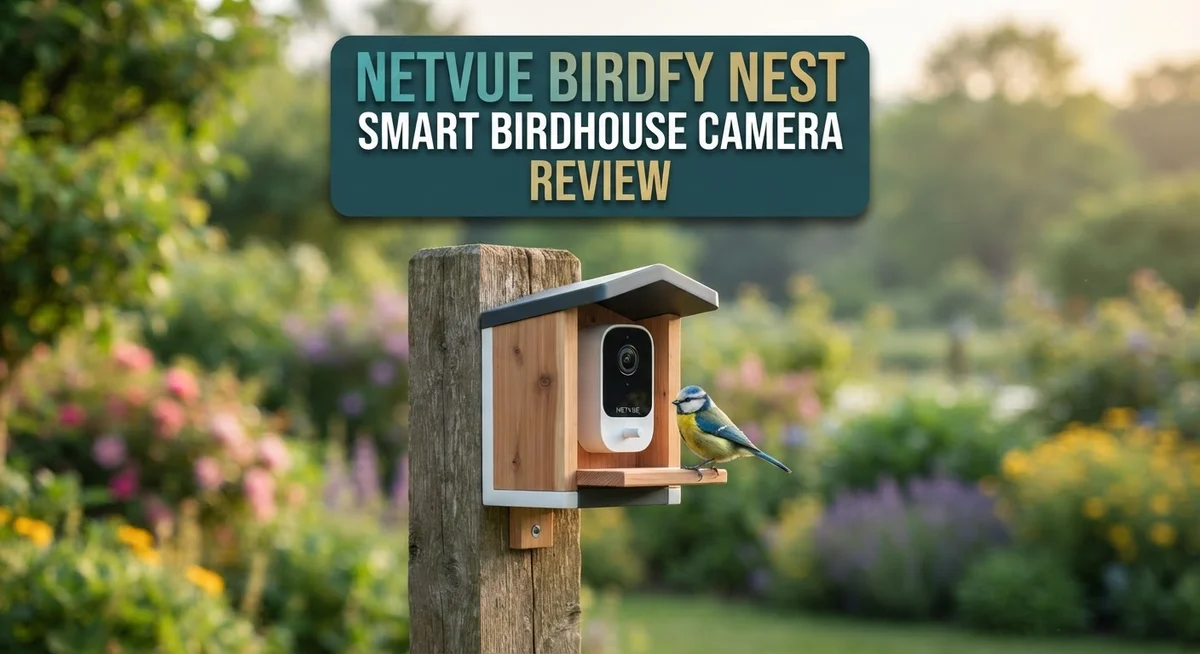
Netvue Birdfy Nest Smart Birdhouse Camera Review 2026: Setup Guide
Ever wanted to peek inside a bird’s nest without disturbing it? The Netvue Birdfy Nest Smart Birdhouse Camera makes this dream come true.
This clever birdhouse captures stunning 2K video. You get a clear view of every feather and every move.
Dual cameras sit inside and outside the nest. You can watch baby birds hatch and parents fly in with food, all from your phone.
In a Nutshell
- Image clarity stands out. The 2K dual camera setup gives you a clear view of nest life from two angles at once.
- Setup feels simple. Most users get the camera running fast, without much fuss or technical skill.
- Smart features impress. AI identification and temperature tracking add real value for curious bird watchers.
- Connectivity can falter. Wifi often drops after rain, and the birdhouse needs to stay close to your router.
- The app lags behind. It can feel slow and clunky, which affects the overall experience.
- Long term reliability is uncertain. Some users report failures after just six weeks of use.
Camera Quality and Video Performance
The 2K video resolution delivers crisp, detailed footage of your backyard visitors. You see feather patterns clearly and can identify species with confidence. The 2MP camera captures enough detail to make bird watching genuinely rewarding.
Dual camera placement changes everything about how you experience nest life. The inside camera shows eggs, chicks, and feeding moments from the nest’s perspective. The outside camera captures parents arriving with food and protecting their territory. Together, they tell the complete story of the nesting season.
Night vision combines infrared and white light options. Infrared mode lets you observe without disturbing nocturnal activity. White light mode provides color video when you need it. Both modes work smoothly, though infrared delivers the most natural nighttime footage without startling birds.
The video feed refreshes quickly when conditions are stable. You watch live action with minimal lag during good weather. Frame rates stay consistent during daylight hours. Motion detection triggers recordings automatically, so you never miss important moments.
Connectivity becomes your biggest challenge with video performance. After rain or humidity spikes, the Wi Fi signal weakens significantly. The 2.4GHz band struggles with distance and obstacles. You may need to position your router closer to maintain smooth streaming. This directly impacts video quality since buffering and disconnections interrupt the feed.
The app’s responsiveness affects your viewing experience noticeably. Loading video takes longer than expected. Switching between cameras introduces delays. Playback stutters occasionally, especially when reviewing recordings from busy days.
Weather exposure creates reliability concerns that impact long term video performance. Some users report camera failures within weeks of installation. Connection drops after heavy rain persist even after drying. This unpredictability makes it risky for serious bird enthusiasts who want consistent monitoring.
The temperature sensor adds useful context to your videos. You see real time conditions alongside video footage. This helps you understand how weather affects bird behavior during nesting.
Overall, video quality shines during stable conditions. The dual camera system captures compelling footage. However, weather sensitivity and connectivity issues prevent this camera from delivering consistent performance year round.

Last update on 2026-07-01 / Affiliate links / Images from Amazon Product Advertising API Some of the links on this website are affiliate links, which means that at no additional cost to you, I earn a commission if you click through and make a purchase. I only recommend products and services that I believe will add value to my readers. Thank you for your support!
Dual Camera System and AI Bird Identification
The dual camera system is where the Netvue Birdfy Nest truly stands out from basic bird feeders. One camera mounts inside the nest box to capture intimate moments of eggs, chicks, and parent birds. The second camera points outside to show approaching visitors and territorial behavior.
This two angle approach gives you the complete nesting story. You see eggs hatch, chicks grow, and parents return with food. The outside camera catches the moment a bird lands on the entrance. You get context that a single camera simply cannot provide.
The 2K resolution at 2304 × 1296 pixels keeps both feeds crystal clear. Details matter when you’re watching tiny birds. Feather patterns become visible. Beak movements show when chicks are feeding. The image quality remains sharp even during active nesting periods.
AI bird identification transforms raw footage into useful information. The system recognizes species automatically and logs visits in your app. You build a record of which birds visit your yard without manual note taking. This feature appeals to casual bird watchers and serious ornithologists alike.
Night vision combines infrared and white light modes for 24/7 monitoring. Infrared works silently without disturbing sleeping birds. White light activates when you want clearer details after dark. Parents often feed chicks during early morning and evening hours, so night vision captures crucial moments.
However, the dual camera system depends heavily on stable Wi Fi connectivity. When signals weaken after rain or weather changes, both cameras suffer. Video streams lag. The app struggles to display footage smoothly. This connectivity issue undermines the system’s value since you cannot reliably review what happened during important nesting phases.
The temperature sensor inside the nest box adds another layer of insight. You monitor whether conditions stay suitable for developing eggs and growing chicks. Extreme temperatures appear as alerts in your app.
The bottom line: The dual camera setup with AI identification is genuinely innovative. It captures nesting behavior from angles you could never achieve otherwise. But connectivity problems mean you might miss critical moments when weather strikes.
Setup, Installation, and App Experience
Getting the Netvue Birdfy Nest up and running takes just a few steps. The wooden construction arrives pre assembled, so you skip the frustrating build process that plagues many smart devices. You mount it to a pole or tree, plug in the power cable, and you’re ready for the app setup.
The installation process feels straightforward. The birdhouse weighs 7.5 lbs, making it manageable for most people to position securely. You’ll want to place it in a location with good Wi Fi coverage, as the 2.4GHz connection needs a strong signal to function properly. This becomes especially important after weather events, when you may need to move closer to your router temporarily.
Downloading the app comes next. The interface lets you connect both cameras (inside and outside) to your home network. The setup wizard guides you through each step clearly. Most users complete the entire process in under 10 minutes. The app stores your login credentials, so future access is seamless.
However, the app experience reveals some rough edges. The interface feels slow and sluggish when navigating between camera feeds. Switching between the inside and outside views takes longer than expected. Responsiveness lags noticeably compared to other smart home apps you may use daily. Zooming in on footage or adjusting settings involves multiple taps and waits.
The app does deliver useful features once you get past the performance issues. You can access live feeds from anywhere, receive motion alerts, and review recorded clips. The AI bird identification appears in the app, automatically tagging species you’ve captured. Temperature readings from inside the nest box display clearly.
One critical note: keep your router nearby after heavy rain. Several users report connectivity drops following weather exposure. The device may require repositioning or a manual reconnection to restore stable streaming. This reliability concern affects your ability to monitor continuously during important nesting periods.
Top 3 Alternatives
Arlo Essential Indoor Camera


Last update on 2026-10-14 / Affiliate links / Images from Amazon Product Advertising API Some of the links on this website are affiliate links, which means that at no additional cost to you, I earn a commission if you click through and make a purchase. I only recommend products and services that I believe will add value to my readers. Thank you for your support!
The Arlo Essential Indoor Camera offers clear 1080p video with night vision capabilities. This camera works well if you want to monitor your home indoors. You get two-way audio so you can talk through the device. Motion detection alerts notify you when activity happens. The camera connects to Wi-Fi and stores footage in the cloud. Setup takes just a few minutes with the mobile app. Battery power means you don’t need to run wires everywhere.
Wyze Cam v3

Last update on 2026-10-14 / Affiliate links / Images from Amazon Product Advertising API Some of the links on this website are affiliate links, which means that at no additional cost to you, I earn a commission if you click through and make a purchase. I only recommend products and services that I believe will add value to my readers. Thank you for your support!
Wyze Cam v3 delivers affordable security monitoring with solid features. The camera captures 1080p video and includes color night vision, which helps you see details even in low light. You can set up person detection to reduce false alerts. Two-way audio lets you communicate through the device. The compact design fits almost anywhere. Cloud storage keeps your footage safe. Local storage options also work if you prefer. The app makes it simple to view live feeds from your phone.
Logitech Circle View

Last update on 2026-10-14 / Affiliate links / Images from Amazon Product Advertising API Some of the links on this website are affiliate links, which means that at no additional cost to you, I earn a commission if you click through and make a purchase. I only recommend products and services that I believe will add value to my readers. Thank you for your support!
Logitech Circle View provides reliable home monitoring with 1080p resolution. The camera features night vision and person detection technology. You receive alerts when the camera spots motion or people. Two-way talk lets you interact with visitors or family members. The device works with smart home systems for better automation. Video clips save automatically to the cloud. You can review footage anytime through the app. Weather resistance makes it suitable for indoor or outdoor use.
Night Vision and Environmental Monitoring
Night vision capability makes the Netvue Birdfy Nest useful around the clock. The camera switches between infrared and white light modes automatically. This dual approach lets you see nesting activity even in complete darkness.
The infrared mode works silently without disturbing birds. White light mode provides color footage when you want more detail. You can switch between these modes manually through the app if needed.
Environmental monitoring goes beyond simple video recording. The built in temperature sensor tracks conditions inside the nest box continuously. This data helps you understand whether eggs and chicks stay warm enough. You’ll see temperature readings alongside your video feed in real time.
The sensor proves especially valuable during cold nights or unexpected weather changes. You get alerts if temperatures drop to concerning levels. This feature gives peace of mind when you cannot watch live footage constantly.
Dual cameras create a complete environmental picture of your backyard. The outside camera captures surrounding conditions and approaching predators. The inside camera monitors nest temperature and chick development simultaneously. Together they show how weather affects bird behavior moment by moment.
Rain creates a significant challenge for the environmental monitoring system. WiFi connectivity drops after heavy weather exposure. This interruption breaks your ability to receive temperature updates and night vision feeds. The camera struggles to reconnect without manual intervention or router proximity adjustments.
The wooden construction handles moisture reasonably well during normal conditions. However, prolonged rain exposure affects the electronics inside. Your monitoring data becomes unreliable exactly when weather monitoring matters most.
Solar panel options reduce battery drain during extended night monitoring. This helps maintain consistent environmental tracking throughout dark seasons. The solar setup requires adequate daylight exposure to charge effectively.
The combination of infrared night vision and temperature monitoring creates genuine value. You see what happens in darkness and understand the conditions driving bird behavior. The weakness lies in weather reliability rather than the monitoring technology itself. For consistent environmental data, keep your router close and protected from moisture exposure.
WiFi Connectivity and Weather Resilience
The Netvue Birdfy Nest connects through 2.4GHz Wi Fi, which works well under normal conditions. This frequency band offers reliable range for most backyard setups. You’ll want to position your router within reasonable distance for consistent video streaming.
Weather poses the biggest challenge to connectivity. Heavy rain creates a significant problem. Multiple users report that the system loses connection after wet weather passes. The wooden construction handles moisture reasonably well during normal conditions, but water exposure seems to affect the Wi Fi module itself.
After rainfall, you may need to move your router closer to the birdhouse. Some owners report they must reset the connection manually. This isn’t ideal if you want completely hands off monitoring. The issue typically resolves once the device dries out fully, but the downtime can be frustrating.
The dual camera system depends heavily on stable Wi Fi connectivity. When the connection drops, you lose both the internal nest view and the external camera feed. This means you might miss important moments during nesting season. The temperature sensor also stops transmitting data when connectivity fails.
For best results, position your router in a central location with clear line of sight to the birdhouse. Avoid placing the device in areas prone to standing water or excessive moisture. Consider a Wi Fi extender if your router sits far from the installation spot.
The 2.4GHz band does penetrate walls and obstacles better than 5GHz, which helps. However, interference from other devices on the same frequency can occasionally cause slow performance. This isn’t unique to the Netvue Birdfy Nest, but it’s worth noting if you have many smart home devices.
The takeaway: Wi Fi connectivity works reliably in dry conditions. Weather resilience remains the weak point. Plan your setup with weather patterns in mind, and consider keeping your router accessible for potential reconnection after storms. This practical approach helps you maintain consistent monitoring throughout nesting season.
Pros and Cons
Pros
- 2K video quality captures crisp details of bird behavior and nesting activity throughout the day
- AI bird identification automatically recognizes species, making it simple to track different visitors
- Dual cameras (inside and outside) let you watch the complete nesting lifecycle from multiple angles
- Temperature sensor monitors nest box conditions, helping you spot potential problems early
- Assembly and initial setup take just minutes, even for non-technical users
Cons
- WiFi drops frequently after rain, sometimes requiring you to move your router closer to the birdhouse
- The mobile app runs slowly and feels clunky when navigating between features and live feeds
- Some users report the camera stops working after 6 weeks of use, raising durability concerns
- Wooden construction needs careful positioning away from direct water spray to maintain stable connectivity
Who Should Buy It
The Netvue Birdfy Nest works best for people who love watching birds and want to see their nesting habits up close. You’ll get the most from this camera if you enjoy nature and have the time to check on your backyard visitors regularly.
This device suits serious bird enthusiasts who want detailed species identification. The AI bird recognition system automatically tells you which species visit your birdhouse. You can track different birds over time and build a record of your backyard wildlife.
Homeowners with stable Wi-Fi coverage should consider this camera. If your router sits close to your outdoor space and performs well in dry weather, you’ll have a smooth experience. The 2.4GHz connection works reliably when conditions stay normal. However, if heavy rain frequently disrupts your internet, this camera may frustrate you.
People interested in environmental monitoring will appreciate the temperature sensor. You can watch how nest conditions change throughout the day and spot potential issues early. This feature appeals to those who want to understand the complete nesting environment, not just see the birds.
The camera fits well for patient, tech-savvy users who don’t mind troubleshooting occasional Wi-Fi problems. You may need to adjust your router position after bad weather. The mobile app requires patience since it runs slowly at times. If you prefer plug-and-play devices that never need adjustments, look elsewhere.
Families with children enjoy this camera for educational purposes. Kids learn about bird behavior, nesting cycles, and different species through live observation. The dual camera system shows both inside and outside views, keeping everyone engaged.
Skip this camera if you need absolute reliability without any connectivity issues. The reliability concerns reported by some users mean you should accept occasional downtime. Also, avoid this option if you live far from your router or experience frequent weather-related internet drops.
The Netvue Birdfy Nest appeals to dedicated bird watchers who accept its limitations and want to dive deep into backyard wildlife observation.
Final Verdict
The Netvue Birdfy Nest stands out as a thoughtful tool for anyone who enjoys watching birds up close. It blends clear video with smart features that make bird watching feel personal and engaging.
This camera shines when you want to witness the full nesting story. From the first egg to the final flight, you get a front row seat to nature’s small wonders.
App performance remains the biggest drawback. Some users report the system becoming less dependable over time, which may frustrate those who expect flawless performance every single day.
Still, the strengths outweigh these flaws for most buyers. The image clarity and species recognition offer real value that many competing birdhouses simply don’t match.
If you live somewhere with consistent Wi-Fi strength, this device rewards you with rich footage and useful data. It turns a simple birdhouse into a window into wildlife behavior.
For those who travel often or face unpredictable internet service, this might not be your best match. A camera that needs frequent router adjustments can feel more like a chore than a hobby.
Compared to simpler birdhouses, this one asks for a bit more patience. But the payoff comes in the form of detailed insights you won’t find elsewhere.
Think about your own setup before buying. Strong home Wi-Fi and a genuine interest in bird behavior make this purchase worthwhile.
Casual observers who just want a basic feed might find the features excessive. Dedicated birdwatchers, however, will likely see this as a rewarding addition to their outdoor space.
In the end, the Netvue Birdfy Nest delivers an immersive experience for the right audience. It combines smart technology with genuine curiosity about the natural world.
Weigh your priorities carefully. If reliability tops your list, look elsewhere. If rich detail and connection with nature matter more, this camera earns its place on your wall.
Frequently Asked Questions
Does the Netvue Birdfy Nest work in rain or bad weather?
The camera itself handles wet conditions fine. However, WiFi connectivity drops after heavy rain, which is the main issue users report. You may need to move your router closer to the birdhouse temporarily until conditions improve.
The dual cameras and night vision (both infrared and white light) continue working during storms. The wooden construction holds up well outdoors.
Can I identify bird species automatically?
Yes. The AI bird identification feature recognizes species instantly as they visit the nest. This saves you time and helps you track which birds return to your birdhouse over time.
The system works with both the inside and outside camera feeds, so you get species data from multiple angles.
How hard is it to set up?
Assembly takes just minutes. Most people finish without technical skills or tools. The WiFi connection setup is straightforward through the mobile app.
Once installed, the camera streams to your phone right away. Just keep your router reasonably close for stable signal strength.
What does the temperature sensor do?
The built in temperature monitor tracks conditions inside the nest box. This helps you spot problems early, like overheating on hot days or dangerous cold during unexpected freezes.
You can check nest temperature anytime through the app, giving you peace of mind about the birds’ safety.
Is the mobile app easy to use?
The app works but runs slowly. Users describe it as clunky when switching between features or viewing live feeds. Performance could be smoother, though it remains functional for checking in on your birdhouse throughout the day.

Hello, I’m Emily Price, the founder of Birds Affection. As a passionate bird enthusiast and spiritual seeker, I’ve always been fascinated by the symbolic meanings and mystical connections between birds and our lives. On this website, I share my knowledge and insights on the spiritual significance of various bird species, exploring their roles as messengers, guides, and teachers. Through my writing, I aim to inspire and educate others on the profound wisdom and beauty that birds bring to our world. Join me on this journey as we delve into the enchanting realm of bird symbolism and discover the hidden meanings behind these magnificent creatures.