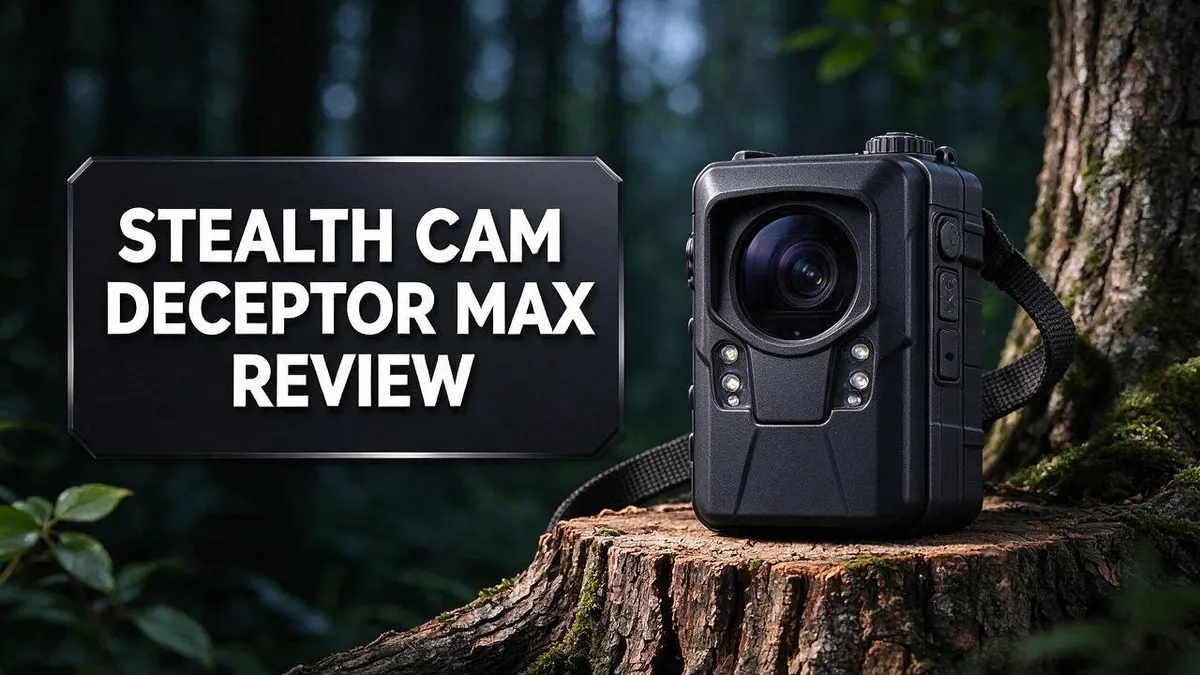
Stealth Cam Deceptor Max Review: Is This Cellular Trail Camera Worth It?
Want sharper trail camera photos without spooking the game? The Stealth Cam Deceptor Max aims to deliver exactly that. This camera captures still images up to 40MP. It also records QHD 1440p video with audio. A 36 piece 940nm LED array keeps the flash hidden from animals.
The Deceptor Max 3.0 adds 16 GB of internal memory and built in GPS. It also works with the Command PRO app. The Deceptor Max 2.0 uses two preinstalled SIM cards. It checks AT&T and Verizon signal automatically.
Users praise its detection and photo quality. Many see the 3.0 as a real upgrade over the 2.0. Setup does need a bit of attention to detail, though. Let’s see how this camera performs in the field.
In a Nutshell
- Sharp video with sound: The camera records QHD 1440p video with audio. You see and hear the full scene as it unfolds. This helps you study animal behavior, not just count visitors.
- Stays out of sight: A 36 piece 940nm No Glo LED array lights the night scene. The flash stays nearly invisible, so animals keep their natural routine.
- Flexible power and placement: The mount adjusts to several positions. You can run the camera on a battery tray or connect 12V power. That makes it easy to fit different spots.
- Simple phone control: The camera works with the Command PRO app. You manage your camera from your phone instead of hiking out every time.
- Solid build, clear step forward: Users describe the construction as solid. Many also see the 3.0 model as a real upgrade over the 2.0.
- One small catch: Setup needs a bit of attention to detail. Take your time during the first install, and the rest goes smoothly.
Key Features and Specifications


Last update on 2026-11-19 / Affiliate links / Images from Amazon Product Advertising API Some of the links on this website are affiliate links, which means that at no additional cost to you, I earn a commission if you click through and make a purchase. I only recommend products and services that I believe will add value to my readers. Thank you for your support!
Think about how each feature fits your daily scouting routine. Small details can change how much you learn from a trail camera.
Storage shapes your routine. A roomy memory means fewer trips to pull cards. You can check your spot less often and leave deer undisturbed.
Location data helps you map your land. Each photo can show where it was taken. Over a season, you can spot patterns across several stands.
Cell monitoring helps you choose a spot. The 2.0 model watches signal strength on two major networks. You can check coverage before you commit to a location.
Power choices affect where you place the camera. A battery tray suits quick setups in remote areas. A 12V option works best for a permanent blind near a power source.
Video adds context to still photos. Clips show movement, timing, and direction that a single image cannot. Pairing both formats gives a fuller view of animal behavior.
Plan a test run at home first. Check the camera angle, focus, and mount height before you head into the field. A quick rehearsal saves time on opening day.
Think about your hunting style. Someone who scouts often will value fast access to images. A casual observer may care more about simple setup and steady performance.
Match features to your goals. The listed specs cover most needs for serious trail watchers. Focus on what matters most to you, and the right choice becomes clear.
Keep notes alongside your photos. Write down the weather, moon phase, and visible activity each time you check. Over time, those notes reveal patterns faster than images alone.
Image and Video Quality
Clear photos help you read a scene at a glance. Sharp detail shows the shape of a rack, the spread of a tail, and small marks on a coat. Good detail also helps you judge body size from a distance.
Sharp pictures matter most at dusk and dawn. Light changes fast during those hours. Test the camera in both periods before the season starts. Notice how bright sky affects your subject.
Video gives you a second look at the same scene. Watch how an animal moves through the frame. Notice whether it pauses, runs, or circles back. These clues help you plan your next visit.
Frame placement changes the final shot. Aim the lens at a narrow trail or a feeder edge. A steady view keeps the subject centered and easy to study later. A clear background also helps the animal stand out.
Review every photo on a computer screen, not just a phone. Large views reveal fine details like tracks, scrapes, or hair on a fence post. This habit helps you spot small signs that a quick glance misses.
Compare images from different weeks. Lighting, weather, and season all shape how a scene looks. Keeping a simple log of dates and times makes these changes easy to see. Small changes add up across a season.
Cleaning the lens protects image quality. Dust, rain, and fingerprints can soften a photo. Wipe the lens with a soft cloth during each card swap.
Good image habits pay off over time. Clear photos, smooth video, and careful placement build a reliable picture of wildlife patterns on your land. Consistent results make your scouting work easier. Start with a few test shots and adjust from there.
Build Quality and Mounting Options
Build quality shapes how long your camera stays useful in the woods. A stable mount keeps the lens pointed at the right spot. Plan the mount before you pick the tree.
The mount gives you room to choose your angle. You can set the camera high for a wider view or lower it for a closer look at a game trail. Keep the lens level with the path so animals walk through the frame.
Strap placement matters more than most people expect. Choose a trunk that stands straight and feels firm when you push on it. A loose branch can sway in the wind and blur your shots.
Your power setup changes your mounting plan. A battery tray works well for a quick install in a remote area. If you use 12V power, pick a spot near a stable source. Run cables where wildlife and weather cannot damage them.
Hide the mount from passing hikers. Pick a tree that sits off the main path. Angle the case so the lens faces your target area, not the trail. A low profile keeps your camera safe and out of sight.
Keep the view clear. Trim branches and tall grass in front of the lens. A clear line of sight gives you cleaner images at every hour of the day.
Practice the setup at home first. Attach the camera with the same straps and tools you plan to use outdoors. This habit saves you from fumbling in low light.
Think about access for your next visit. Mount the camera at a height where you can open the case without a ladder. Easy access makes card swaps and battery checks quick, so you stay on schedule.
Top 3 Alternatives
Looking for other trail cameras? These three options are worth a close look. Each one brings something different to the table.
Browning Strike Force

Last update on 2026-11-19 / Affiliate links / Images from Amazon Product Advertising API Some of the links on this website are affiliate links, which means that at no additional cost to you, I earn a commission if you click through and make a purchase. I only recommend products and services that I believe will add value to my readers. Thank you for your support!
The Browning Strike Force is a solid pick for hunters who want dependable photos. It feels built to handle rain, cold, and rough trails. Many users like its fast trigger speed and clear night images.
It works well for scouting game trails. Setup stays simple, even for beginners. You can mount it on a tree and start capturing activity within minutes.
Spypoint Link-Micro

Last update on 2026-10-13 / Affiliate links / Images from Amazon Product Advertising API Some of the links on this website are affiliate links, which means that at no additional cost to you, I earn a commission if you click through and make a purchase. I only recommend products and services that I believe will add value to my readers. Thank you for your support!
The Spypoint Link-Micro takes a different approach. It is small, light, and easy to hide on a tree. Its cellular design lets you receive photos on your phone without walking back to the camera.
This makes it a great choice for remote land. You can check your camera from home whenever you want. It also helps you track movement patterns over time.
Bushnell Core DS

Last update on 2026-11-19 / Affiliate links / Images from Amazon Product Advertising API Some of the links on this website are affiliate links, which means that at no additional cost to you, I earn a commission if you click through and make a purchase. I only recommend products and services that I believe will add value to my readers. Thank you for your support!
The Bushnell Core DS focuses on staying hidden. Its no glow infrared flash helps keep wildlife calm at night. Image quality stays sharp, and battery life lasts through long seasons.
It offers good value for steady monitoring. Many owners trust it for year-round use. If you want a camera that you can set and forget, this model is worth considering.
Night Vision and No-Glo Flash Performance
Night photos can make or break a trail camera. The Deceptor Max uses an array of 36 LED lights tuned to 940nm. This light stays mostly hidden from wildlife eyes.
The 940nm light sits outside the range most animals can see. Deer, coyotes, and other shy visitors often ignore the flash. You get action shots without a bright burst of light.
Clarity matters just as much as light. The 40MP still images show fine detail in fur, tracks, and antler shape. Even dim scenes keep useful detail.
Video at 1440p with audio adds another layer. Sound helps you identify calls, rustling leaves, or footsteps in the brush.
Night results need realistic expectations. The No Glo flash reaches only so far. Animals close to the lens look best, while distant objects may appear dark or grainy.
Place the camera where likely paths fall within a short distance. This simple choice improves your chances of getting clear night shots.
Test the setup at night before you leave it out. Walk in front of the lens and review the clips on a computer screen. This quick check shows whether the flash and focus work well at your chosen spot.
Night captures also reveal patterns that daytime shots miss. Animals often move more after dark, so the camera may record more visits in a single night. Give the camera several nights before you judge its performance. Weather and moon phase shape wildlife activity, so keep notes on each night to spot trends.
Cellular Coverage, GPS and Command PRO App
Checking your camera in person takes time. Many hunters and wildlife watchers want a simpler way. The Deceptor Max line offers helpful connection tools that keep you in the loop.
The Deceptor Max 2.0 comes with two SIM cards already installed. Its Automatic Network Coverage feature watches both AT&T and Verizon signals for you.
Signal strength can change from one spot to the next. Test the area before you pick a location. Weak signal can slow down how quickly photos reach your phone.
The Deceptor Max 3.0 takes a different approach. It includes built-in GPS. GPS helps you record the exact location of your camera. This makes it easier to find your setup again later.
Location data can also help if a camera goes missing. A tracked spot gives you a clear starting point for your search. Keep a written note of each camera’s placement too.
Command PRO app compatibility adds another layer of control. Pair the camera with your phone and manage it from one place. Check that your phone and app are ready before you leave home.
Setup needs some care. One user described it as needing “a bit of attention to detail.” Take your time with each step. Read the instructions twice and confirm every setting.
Connection habits matter over a full season. Check your phone app every few weeks. Look for gaps in photos or signal drops. Fix small issues early so you do not miss key moments.
Good preparation pays off in the field. Test your GPS and signal at home first. Then head outside with confidence that your camera will stay connected.
Setup and Power Options
Power is the first decision you make. The Deceptor Max 3.0 accepts a battery tray or 12V power. Each option suits a different kind of setup.
A battery tray keeps things simple. You load the batteries, close the tray, and head out. No cables run to the trunk, so the setup stays clean.
A 12V source fits longer stays. If you have a power source nearby, you can skip battery swaps. Plan the cable route before you tighten any straps.
Mind the cable path. Run the 12V cable along the trunk, not across open ground. Secure it with ties so wind cannot pull it loose. A loose cable can cut power at the worst moment.
Pick power by season. Summer heat and winter cold affect battery life in different ways. Check the battery level at each visit so you know when to swap.
Check your batteries before every trip. Cold weather drains power faster. Fresh cells give you more photos during the season.
Plan for long stretches. A full season needs more than one charge cycle. Keep spare batteries in a dry bag at home. Rotate them so the power stays steady.
Take time with the setup steps. One user noted that setup needs “a bit of attention to detail.” Slow down and check each step. Small errors can cost you a full week of photos.
Insert the memory card before you close the case. Then confirm the unit powers on and reads the card. This quick check saves you from empty images later.
Test before you walk away. Power on the unit and trigger it a few times. Review the test photos at home or on a computer screen. Then lock the case and leave.
Pros and Cons
Pros
- Still photos reach 40MP, so small details stay sharp.
- Users often praise how well the camera detects movement.
- The solid build handles rough outdoor conditions.
- Many shoppers see the 3.0 model as a clear step up from 2.0.
- The 1440p video gives you a crisp, detailed view of each visit.
Cons
- Setup needs close attention to detail, according to one user.
- The 40MP files take up more space on the 16 GB memory.
- Our research does not compare it with rival trail cameras.
- Each new setup may take extra time to learn the menus.
Who Should Buy It
Wildlife photographers and nature researchers often make the strongest case for this camera. They want to study animals over weeks, not just catch a single glimpse. A camera that records many visits helps them map daily routines.
Property owners with large acreage can also benefit. Walking remote land every day takes time. A camera at a gate or fence line lets you check activity from home. Owners can spot trespassers or strays without leaving the house.
Hunters who scout several locations may find it useful. Using the same model at each spot keeps your routine simple. Matching units also make your notes easier to compare. Hunters often move cameras between seasons, so a dependable unit matters.
Homeowners who want to watch a driveway or back yard might like it too. The camera suits anyone who wants steady monitoring around the home. Family members can also see who visits the yard during the day.
Beginners can still succeed with some practice. A test run at home helps you learn each step. Take notes as you go so you remember the order next time.
Researchers working on a deadline should plan ahead. Start setup early so you have enough time to fix any issues. This gives you clean data when the study begins.
Occasional users may prefer a simpler option. This camera rewards people who check their footage often. If you only need one quick look, a basic model may suit you better.
In short, this camera fits people who stay committed. It works best for anyone who plans to monitor a spot over many weeks.
Final Verdict
The Stealth Cam Deceptor Max earns a strong recommendation from us. It delivers sharp images, clear video, and a body that feels ready for the field.
The 940nm LED array helps at night. Its hidden glow means animals and passersby are less likely to notice the camera.
Built in GPS adds a useful touch. It helps you remember where each camera sits across a big property.
The mount adjusts to several positions. You can fit it to trees, posts, or walls without much trouble.
The Command PRO app also makes life easier. You can manage your camera from your phone and spend less time in the field.
The Deceptor Max 2.0 offers a different strength. It comes with two SIM cards and checks AT&T and Verizon signal on its own.
That feature helps if cell coverage changes from one location to the next. You can pick the stronger network and keep your images coming.
Our advice is simple. Choose the 3.0 if you want top image detail and onboard storage. Choose the 2.0 if remote signal matters most to you.
Take a little time during setup, and the camera will reward you. A careful first day leads to months of steady, reliable captures.
Our final take: the Deceptor Max is a smart pick for anyone who wants dependable monitoring. It looks great on paper and, according to users, performs well outdoors. We think it deserves a spot on your shortlist.
Frequently Asked Questions
What power options does the camera support?
The Deceptor Max works with a battery tray or 12V power. Pick the option that fits your location. A battery tray suits remote spots, while 12V power works well for a fixed setup near a home or building.
Does the camera record sound?
Yes. The 1440p video includes audio, so you can hear activity as well as see it. This extra detail helps you understand what happened in each clip.
Will animals notice the night flash?
The 36-piece 940nm LED array aims to stay hidden from wildlife. This helps animals behave naturally around the camera. You can review night footage without disturbing the area.
Can I use it in more than one location?
Yes. Many people move the camera between several spots during the season. Keep notes on each location. Labeling your memory files by spot makes it easy to compare visits later.

Hello, I’m Emily Price, the founder of Birds Affection. As a passionate bird enthusiast and spiritual seeker, I’ve always been fascinated by the symbolic meanings and mystical connections between birds and our lives. On this website, I share my knowledge and insights on the spiritual significance of various bird species, exploring their roles as messengers, guides, and teachers. Through my writing, I aim to inspire and educate others on the profound wisdom and beauty that birds bring to our world. Join me on this journey as we delve into the enchanting realm of bird symbolism and discover the hidden meanings behind these magnificent creatures.